Everything You Need to Succeed
Powerful tools designed specifically for direct sales consultants to streamline your business operations.
Customer Management
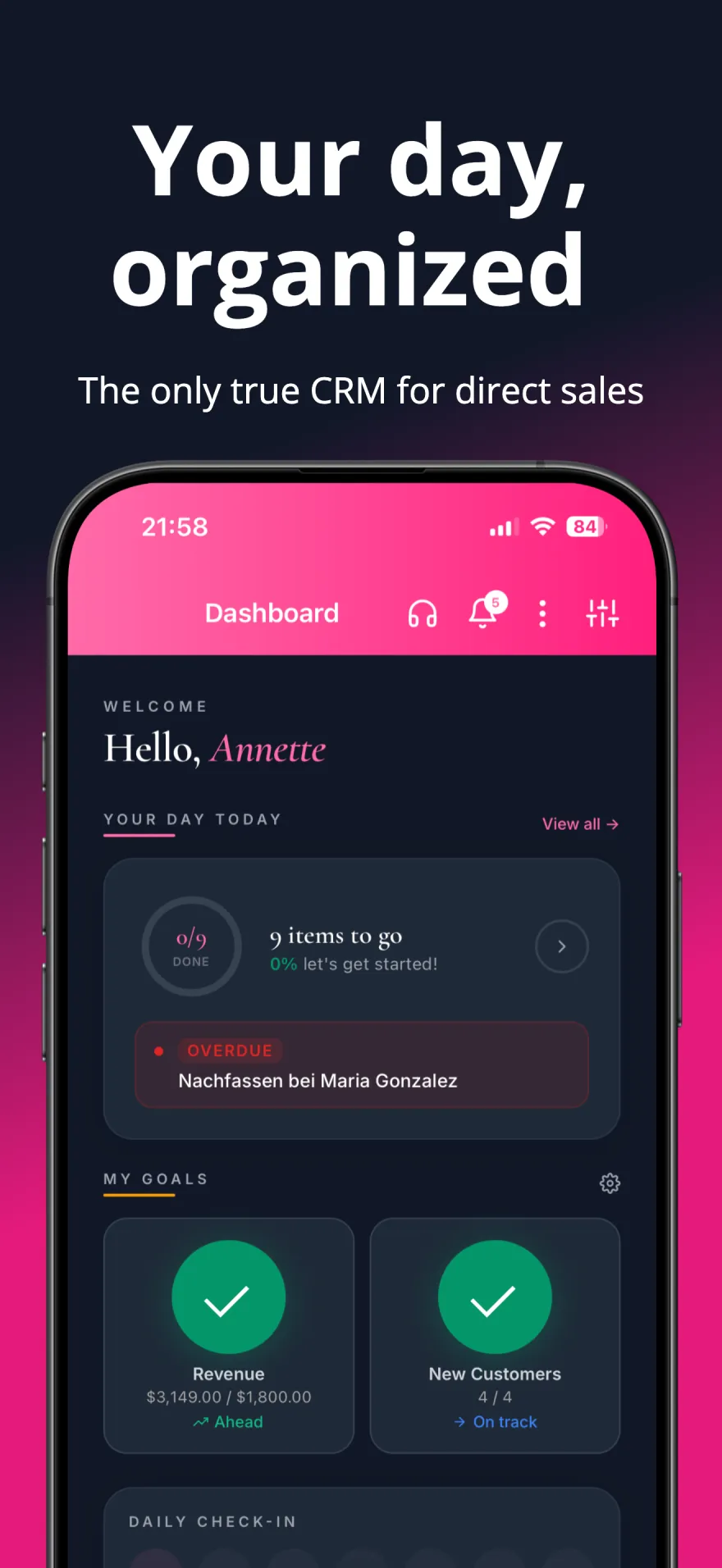
Keep track of all your customers, their preferences, purchase history, and contact information in one place.
CustomersInventory & Sales
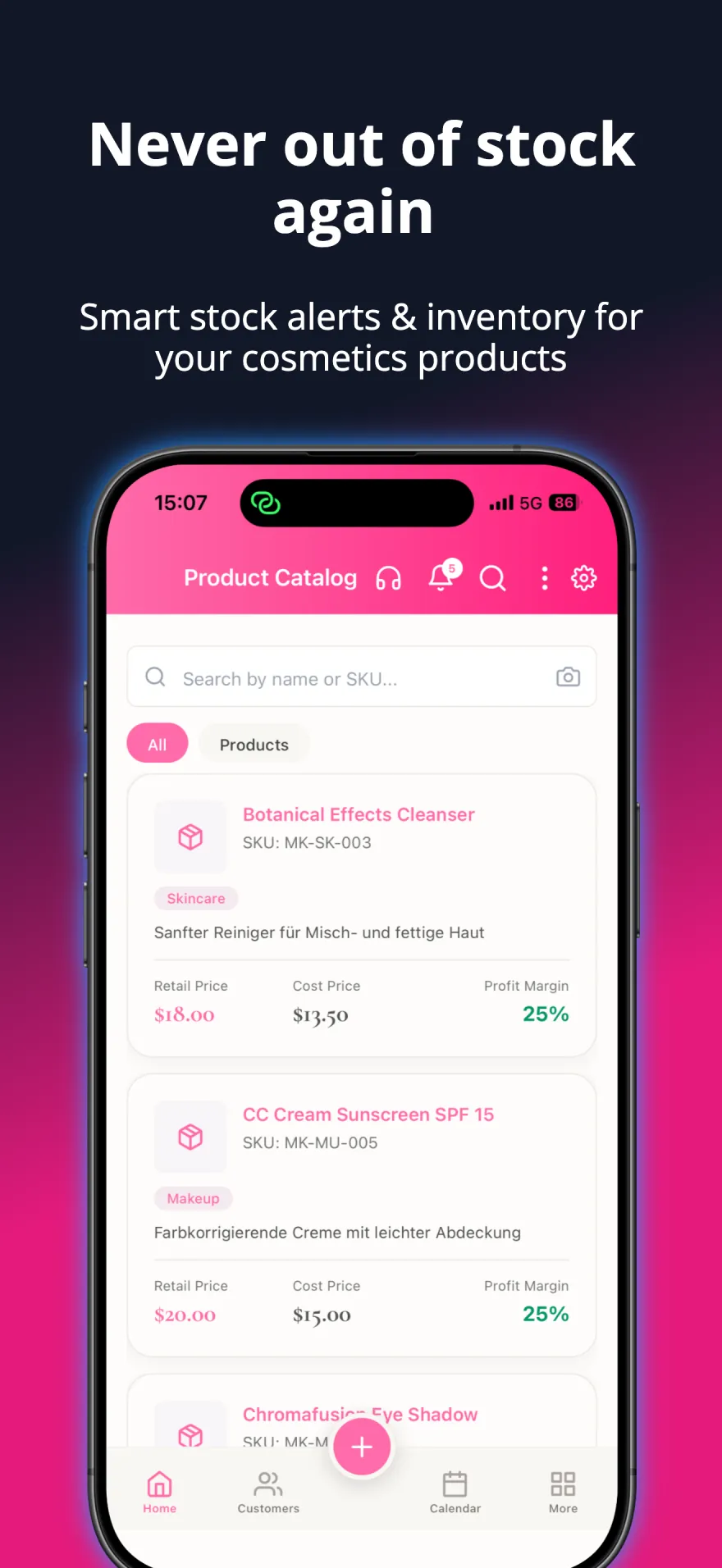
Monitor stock levels, track sales, and get automatic alerts when products are running low.
InventoryAppointments & Parties
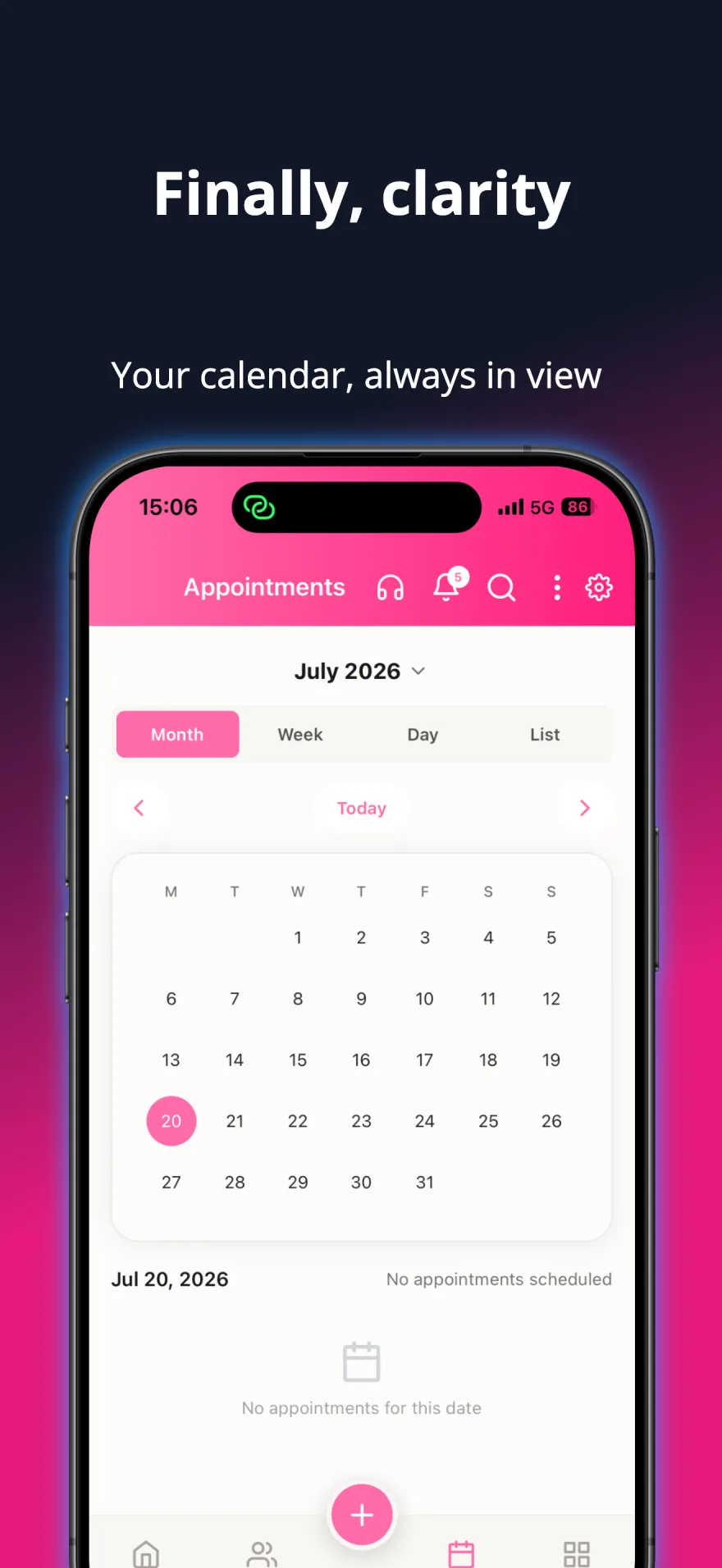
Schedule parties and consultations, get reminded before every appointment, and keep your Google or Microsoft calendar in sync.
AppointmentsFinancial Dashboard
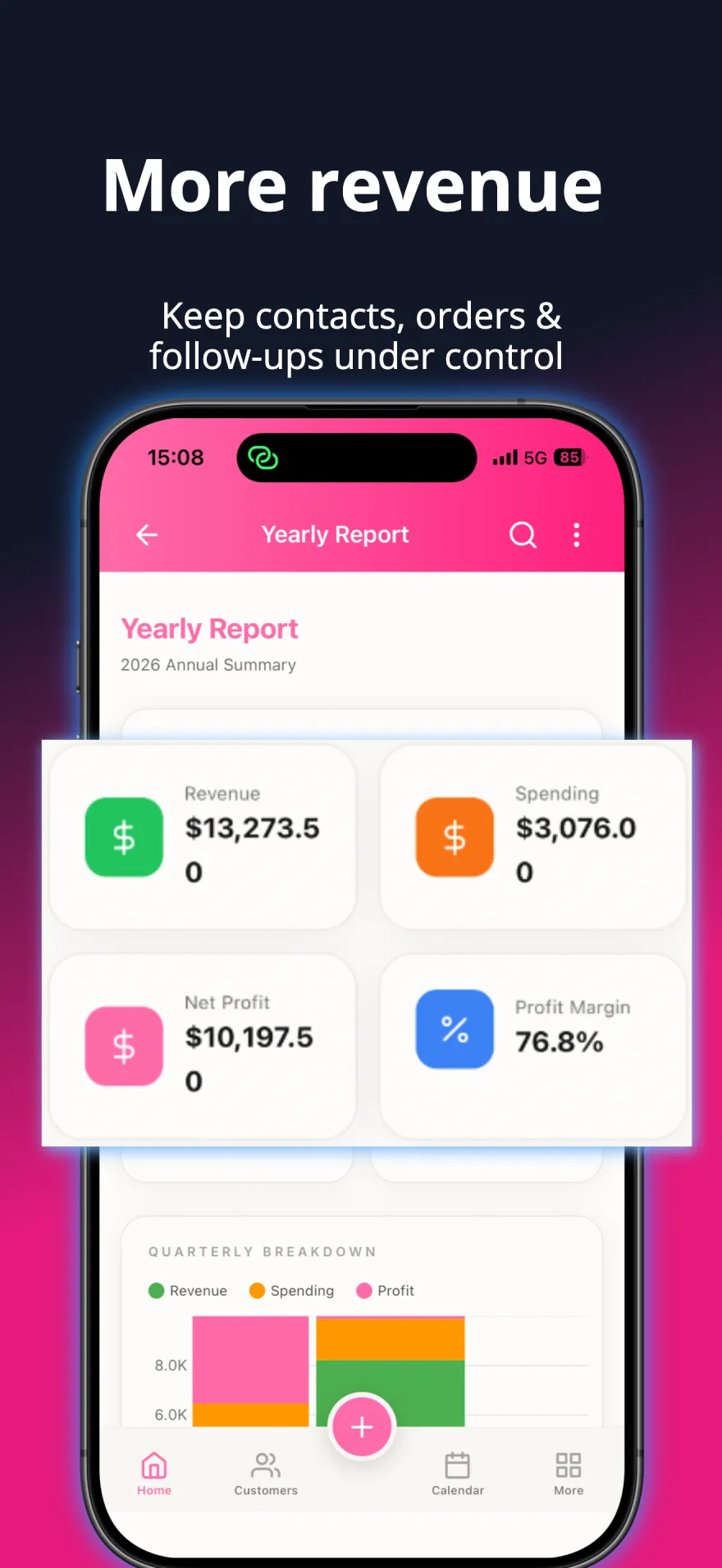
Track earnings, expenses, and profits with quarterly, yearly, and custom reports. Export to CSV, Excel, or PDF.
FinancesReminders & Follow-ups
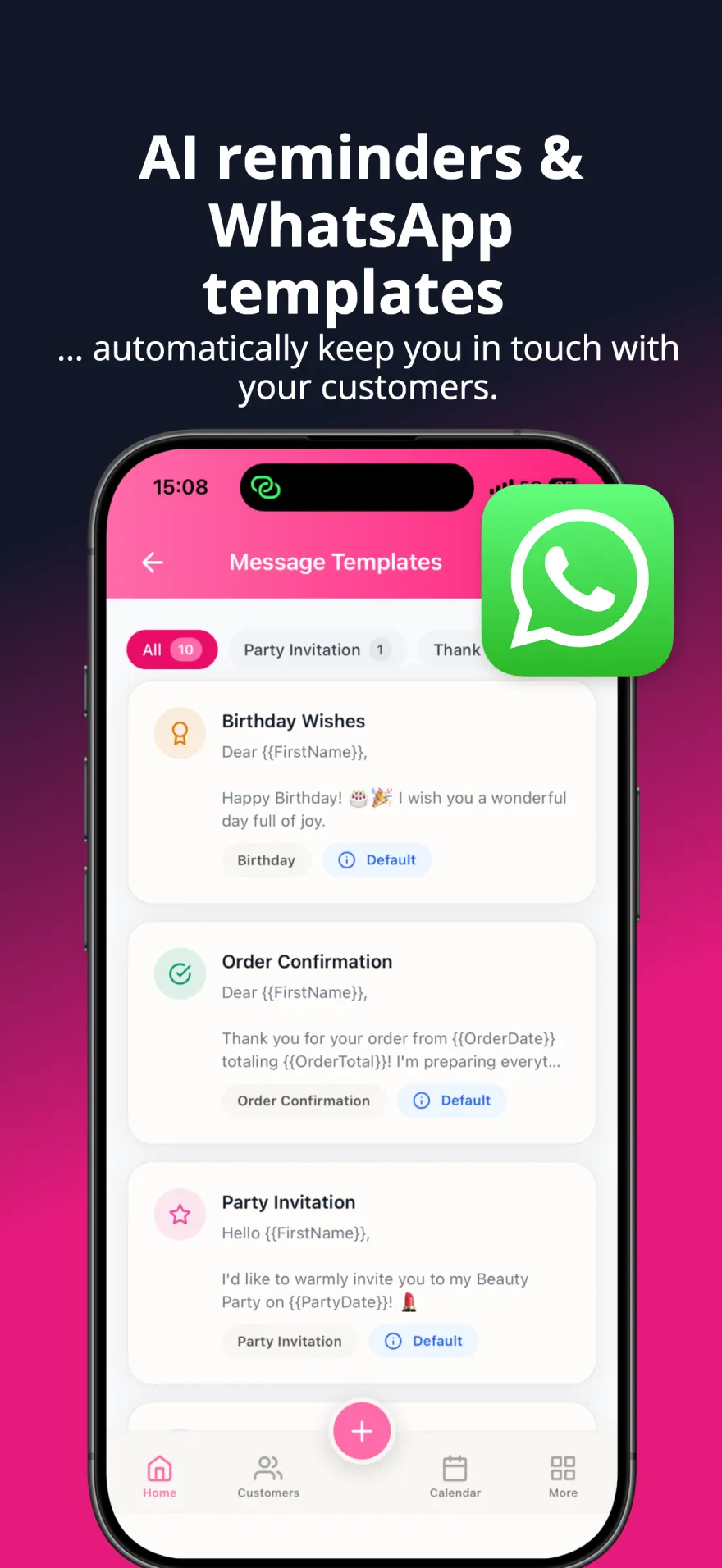
After a customer's first order, follow-ups at 2 days, 2 weeks and 2 months — adjustable. Repeat orders get a reorder reminder timed to each customer's buying rhythm, plus low-stock and appointment reminders.
RemindersOrders & Fulfillment
Track every order from creation to delivery, with payment status, delivery dates and stock deducted automatically when you keep products in stock.
OrdersSee it in action
A closer look at the app your business runs on.
Let AI Handle the Paperwork
Scan paper forms, invoices and catalog pages, or just ask — AI does the typing for you
Questionnaire Scan
Point your camera at any paper questionnaire and AI extracts all customer fields automatically.
- 1. Capture with camera
- 2. AI processes the form
- 3. Review and save
Invoice OCR
Upload supplier invoices as PDF or photo, and AI reads the products, quantities and prices.
- 1. Upload PDF or photo
- 2. AI extracts line items
- 3. Review, then import to stock
Catalog Scan
Photograph a catalog page, and AI turns the products on it into entries in your product list.
- 1. Take a photo or choose one
- 2. AI extracts the products
- 3. Add them in one tap
AI Assistant
Ask in your own words — "Who hasn't ordered in three months?" — and get answers from the data on your phone. Works by voice, too.
- 1. Open the AI Assistant or hold the + button
- 2. Ask about your customers, sales or the app
- 3. Get the answer in seconds
Everything Your Business Needs
Discover all the powerful tools designed to help you succeed
See what's newBusiness Tools
Orders & Discounts
Track every order from creation to delivery, with per-item, order and conditional discounts.
Receipts & Invoices
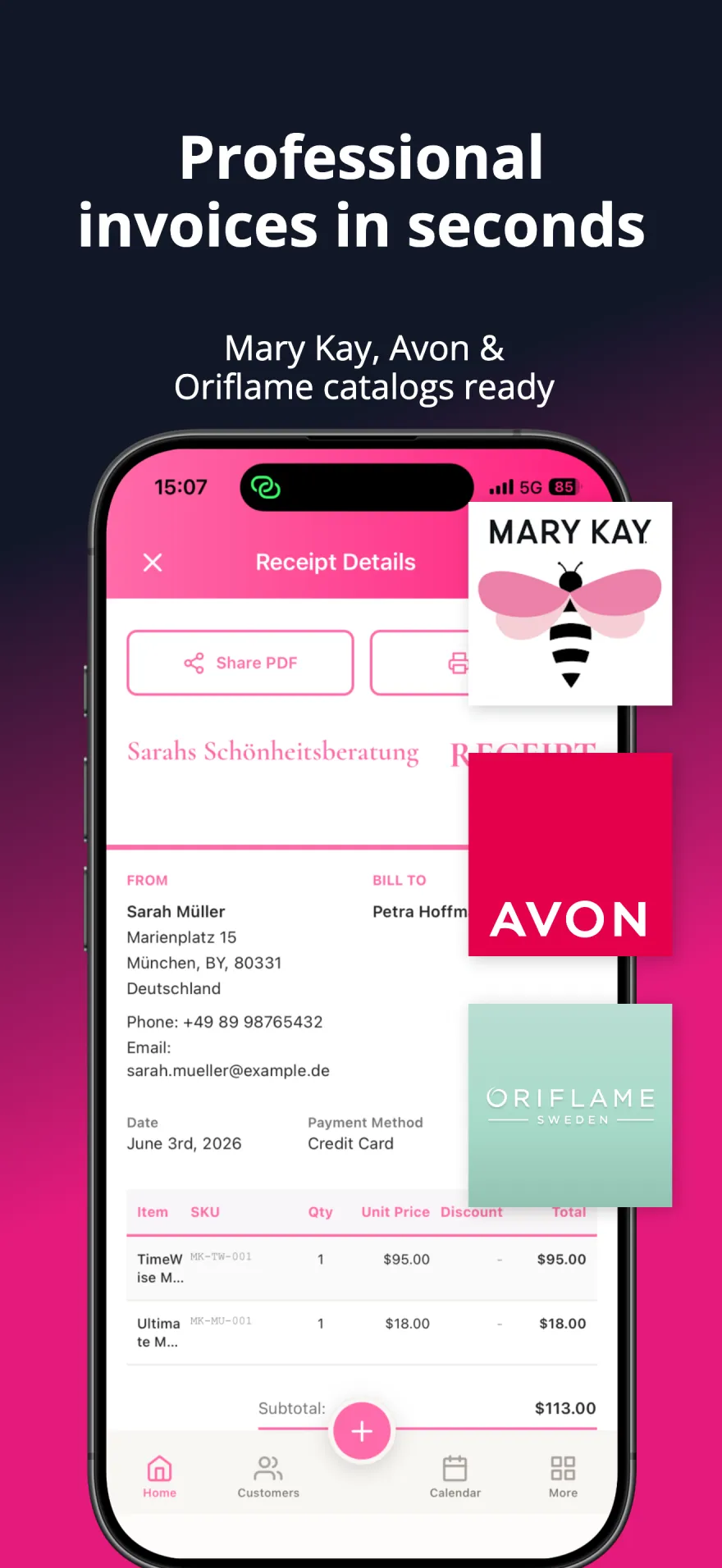
Create professional receipts — with your PayPal address or the § 19 UStG note if you need them — and scan supplier invoices with AI, then import them to stock in one step.
Expense Tracking
Monitor business expenses by category with mileage tracking and reports ready for tax season.
Product Catalogs
Download your brand's product catalog in your language and set your own import discount — no typing in prices.
Customer Engagement
WhatsApp Inbox & Campaigns
Chat with customers from one inbox and send approved campaigns with AI personalization — through your own WhatsApp Business account.
Birthday Reminders
Birthdays show up in your to-do list and as a push notification in time, with an optional birthday journey via WhatsApp.
Reorder Reminders
Learns each customer's buying rhythm and reminds you when a reorder is due — with the product named.
Follow-up Suggestions
Ready-made follow-up ideas, and after every completed reminder a quick "Plan the next appointment?"
Customers & Parties
Contact Connections
Link contacts as family, friends, referrals or team members. Party guests are linked to their host automatically, and one Leader switch marks your leaders.
Guest Profiles by QR Code
Share one QR code or link per party. Guests enter their own details on their phone — end-to-end encrypted — and become contacts automatically.
Live Party Tracking
Check guests in, note their reactions and take photos during the party, then get an AI party digest afterwards.
Instant Search & Overview
Find any customer, product or order as you type, and see quick actions, tasks, reminders and notes on one screen.
Security & Data
End-to-End Encryption
Your records and backups are AES-256 encrypted on your device — and you choose whether the key stays with you alone or is managed so your account can be recovered.
Offline-First
Your data lives on your phone, so the app works anywhere — no connection needed for your daily work.
Device Transfer
Moving to a new phone? Pair both phones with a QR code and transfer everything encrypted — merge or replace.
Backup & Recovery
Automatic AES-256-GCM encrypted backups to a folder on your phone, iCloud, an external folder or Secure Cloud. Restore anytime.
Data & Productivity
Bulk Customer Import
Import existing customers from CSV or Excel files, or straight from your phone contacts.
Data Export
Export customers to Excel or vCard, and your finance reports to CSV, Excel or PDF.
Customer Documents & Timeline
Store documents and photos per customer with a complete activity timeline and event history.
Swipe Actions
Choose what a swipe does in your customer list — call, message, new order, note, reminder and more.
A Platform That Adapts to You
Designed for direct sales consultants everywhere
34 Languages
Use the app in your own language.
iPhone & Android
Native apps, with your data stored on your phone
Dark Mode
Beautiful light & dark themes
Push Notifications
Real-time alerts for everything that matters
Guided Setup
Get started in minutes with our setup wizard
Questions about the features
- What's new in MyPink Party?
- The latest updates add contact connections, guest profiles by QR code for your parties, a WhatsApp inbox with campaigns, follow-up suggestions and instant search. Every release is listed with its date on the What's New page.
- Can party guests enter their own details?
- Yes. Share a party's guest profile link or QR code, and guests fill in their contact details on their own phone — no app or account needed. The details are end-to-end encrypted on the way to your phone, and new guests become contacts automatically.
- Does MyPink Party work offline, and where is my data stored?
- Your data lives on your phone, so your daily work needs no connection. Backups run automatically — to a folder on your phone by default, or to Secure Cloud, iCloud or an external folder if you choose one.
- Which devices does MyPink Party run on?
- MyPink Party is a native app for iPhone and Android, available in 34 languages. When you get a new phone, Device Transfer moves all your data across.
Build your business around the people who matter.
Grow real income for your family — sell more, keep more customers, and win back time with the people you love.