Why you should open MyPink every day
A one-minute daily check-in keeps your customer relationships healthy, your follow-ups on time, and your goals in sight.
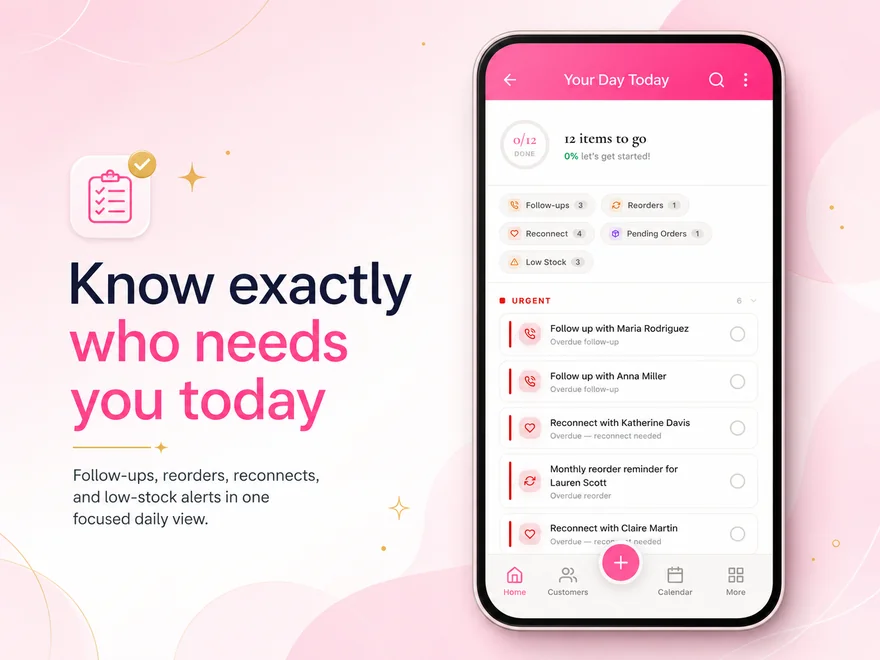
Your to-do list knows who needs you
Birthdays, re-contact reminders, and customers running low on product — all in one prioritized list.
Push notifications keep you in the loop
Enable notifications so the app can tell you when something needs attention — before you even open it.
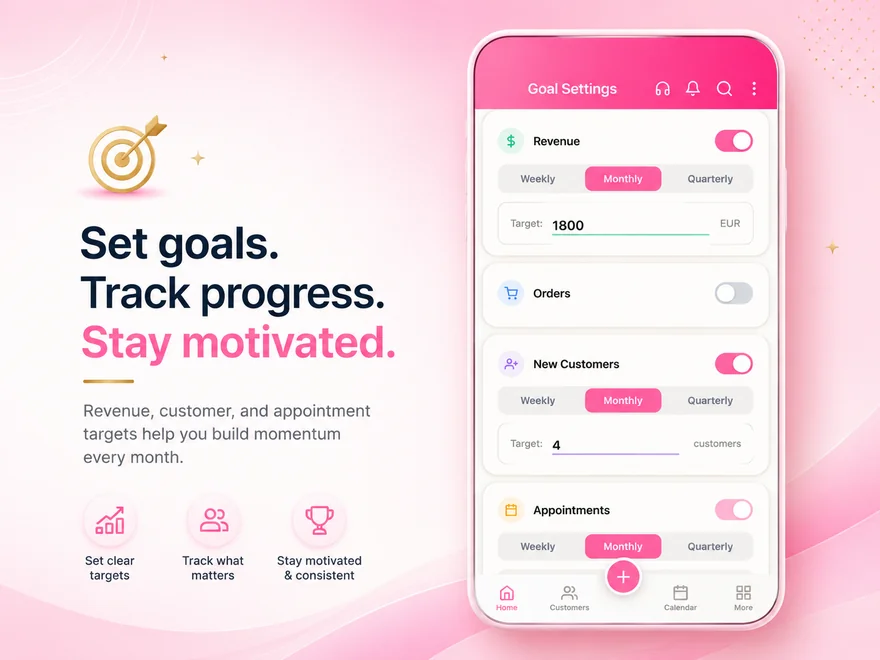
Goals that push you forward
Set personal business targets and watch your progress grow — daily momentum keeps the motivation going.
Your to-do list knows who needs you
Every morning your to-do list shows exactly what needs attention today. Birthdays appear before the day itself so you can send a message that arrives on time. Customers whose last order is overdue surface automatically — no scrolling through a contact list hoping you remember who ordered in January. And when a product is running low based on the customer's buying rhythm, the app tells you before the customer runs out.
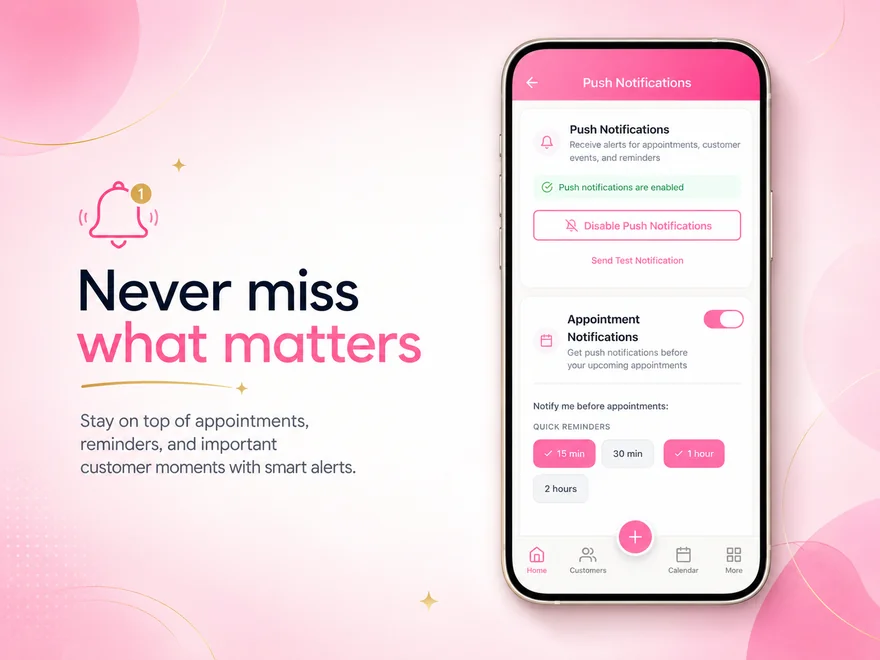
Push notifications keep you in the loop
Push notifications are the reason you never have to wonder if something slipped through. A birthday tomorrow, an at-risk customer who has not ordered in weeks, a follow-up reminder you set for today — the app reaches you instead of waiting for you to remember. All you need to do is keep notifications turned on in your phone settings. Without them the app stays silent, and silent means missed opportunities.
Goals that push you forward
When you set goals — a number of new customers this month, a revenue target for the week, the appointments you want to book this quarter — the app tracks them and shows your progress every time you open it. That daily glimpse at how far you have come and how close you are to the finish line is what keeps the momentum going. Without it, the week blurs together and targets feel abstract. With it, every small action connects to something bigger.
Your daily routine in four steps
-
Check your to-do list
Open the app and scan today's tasks. Birthdays, follow-ups, and low-stock alerts are already waiting for you — no searching, no thinking about what to do first.
-
Act on at-risk customers
The "At Risk" filter in your customer list and the reconnect reminders in My Tasks highlight customers whose engagement is dropping. A quick message today can save a relationship that would quietly slip away by next month.
-
Review your goals
Your goals screen shows how far you have come this week and this month. One glance reconnects you with what you are working toward and what needs a push.
-
Keep notifications enabled
Push notifications are your safety net for the days you do not open the app. They make sure nothing urgent waits until tomorrow.
Questions about the daily routine
- How long does a daily check-in take?
- Most consultants spend less than two minutes. Open the app, scan the to-do list, act on anything urgent, check your goals — done. The app surfaces what matters so you do not have to search for it.
- What if I miss a day?
- Nothing breaks. Missed tasks carry over, at-risk customers stay flagged, and your goals still track progress. But the longer you wait, the more things pile up — and a customer who needed a message yesterday is a day harder to win back today.
- Which notifications should I enable?
- All of them, at least to start. The app only sends notifications that relate to your business — appointments, follow-up and reconnect reminders, your morning to-do list and birthdays. There is no marketing noise. You can fine-tune them later under Notification Settings, including quiet hours.
- Can I customize my to-do list?
- The to-do list is generated automatically from your data — upcoming birthdays, overdue follow-ups, low-stock alerts, and reminders you set yourself. You do not need to build it manually, but you can add your own reminders to it.
Build your business around the people who matter.
Grow real income for your family — sell more, keep more customers, and win back time with the people you love.